Street Wheelie Brasil on Low-End Phones
Keep wheelie physics honest on modest Android hardware with presets, thermals, and clean background apps.
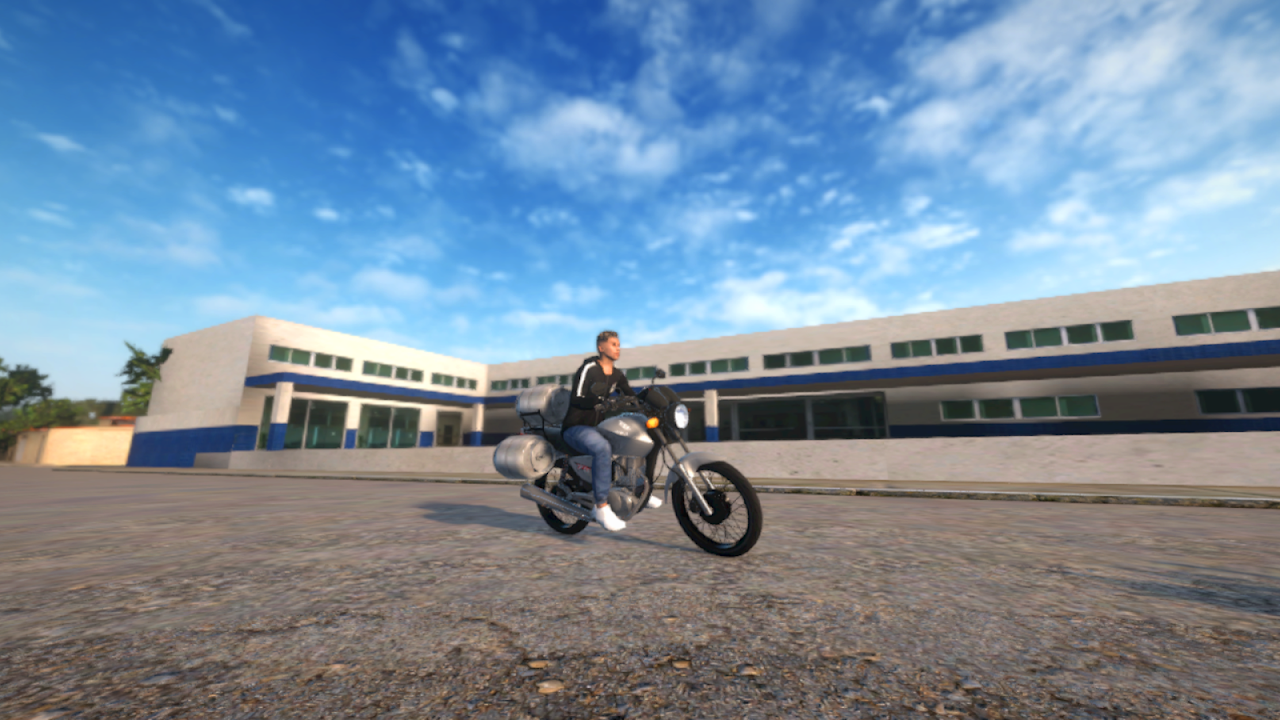
Villa Games Group markets mobile optimization as a core pitch for Street Wheelie Brasil: the Play Store text says the studio aims for a good experience even on weaker phones. Community comments still mention Galaxy A-series devices, older J-series handsets, and thermal hitch mid-grau. This guide turns that feedback into a practical tuning loop so physics feel fair instead of “broken.” Pair it with Controls, the settings optimizer, and How to Wheelie.
Why performance changes wheelie feel
Realistic grau lives in tiny throttle taps. When frames hitch:
- A soft tap can register late and dump extra power
- Camera follow stutters, hiding front-wheel height against the horizon
- Online sessions stack network jitter on top of render hitch
Fix frame time first, then judge balance. Many “physics bugs” disappear after a stable 30–40+ FPS on a cool device.
Baseline checklist (five minutes)
- Update Street Wheelie Brasil from Google Play—see Download Android.
- Close screen recorders, browser tabs, Discord overlays, and download managers.
- Disable aggressive battery savers that cap CPU/GPU mid-session.
- Remove thick cases during long practice if the phone already runs hot.
- Sit in shade; dashboard heat destroys clocks faster than any graphics slider.
- Open in-game graphics / quality and start from Low or Performance, not Ultra.
Then ride a flat empty road for two minutes of short wheelies. If hitch remains, continue below. If it clears, slowly raise one setting at a time.
Graphics levers that usually matter most
Exact labels change after patches, but priority order stays similar:
| Priority | Lever | Why it helps grau |
|---|---|---|
| 1 | Shadows / soft shadows | Heavy on GPU; little skill value |
| 2 | Reflections / mirrors | Pretty, expensive |
| 3 | Crowd / traffic density (if exposed) | City hitch mid-hold |
| 4 | Anti-aliasing | Minor clarity vs big cost on weak GPUs |
| 5 | Draw distance | Lower for dense avenues; raise later on highways |
| 6 | Resolution scale | Last resort—keep HUD readable |
Keep enough clarity to see front-wheel height. A muddy low-res blur can be worse than a locked medium preset.
Thermal and power habits
- Prefer short practice blocks with cooldown pauses over one melted hour.
- Charge to ~50–80% before sessions; some phones throttle harder at 100% while plugged in on cheap chargers.
- Use airplane mode + Wi‑Fi only when practicing solo if mobile radios spike heat.
- For online, prefer stable Wi‑Fi; weak LTE plus max graphics is a double penalty—read Online Multiplayer.
Input layer still matters
Performance guides fail when players ignore touch layout. Fat multi-touch and huge HUD buttons waste the FPS you just recovered. After graphics tuning, revisit Controls so throttle feathering matches your thumbs. Then run the practice checklist.
What the studio already optimized for
Play Store copy stresses performance on weaker devices alongside realistic wheelies, customization, jobs, and online mode. Expect ongoing optimization patches more often than cinematic-only updates. When Updates mentions optimization, re-test your preset instead of assuming old Ultra settings still apply.
Community wishlists (night/rain modes, more clothing, louder pipes) can add cost later. Budget headroom now so future eye-candy does not delete your wheelie consistency.
Troubleshooting matrix
| Symptom | Likely cause | Next step |
|---|---|---|
| Hitch only in dense streets | Draw distance / crowds | Lower city settings; practice elsewhere |
| Hitch everywhere after 10 minutes | Thermal throttle | Cool down; lower shadows; remove case |
| Smooth FPS, wild wheelies | Input / sensitivity | Recalibrate controls |
| Online rubber-banding | Network | Switch Wi‑Fi; see multiplayer guide |
| Black screen after update | Bad GPU driver / cache | Clear cache via system settings; reinstall from Play if needed |
Practice plan on a weak phone
- Warm-up straight ride, no wheelies — confirm stable FPS.
- Ten short lift-and-set drills on an empty road.
- One gentle balance hold aiming for five clean seconds.
- One job route from Jobs and Money at your tuned preset.
- Stop while the phone is still warm—not screaming hot—and note which setting you will try next session.
Related pages
- Settings optimizer — Structured preset worksheet
- Controls — Touch and camera
- Download Android — Clean install path
- Updates Hub — Optimization patch notes
- Getting Started — Day-one order of operations
Frequently Asked Questions
Quick answers for Street Wheelie Brasil players.
Can Street Wheelie Brasil run on weak Androids?
The studio targets playable performance on modest phones. Use Low/Performance presets, manage heat, and close background apps so wheelie inputs stay consistent.
Why do wheelies feel harder when FPS drops?
Throttle taps land late on hitch frames, so the bike overshoots the balance point. Stabilize frame time before changing technique.
Which graphic setting should I lower first?
Shadows and reflections usually free the most GPU with the least skill impact. Keep enough clarity to read front-wheel height.
Should I play online on a hot phone?
Practice solo first on a cool device. Add online only after FPS is stable; network jitter plus thermal hitch stacks poorly.
Where do I go after tuning graphics?
Recheck Controls, then How to Wheelie and the practice checklist so your recovered FPS turns into cleaner grau.