Getting Started in Street Wheelie Brasil
Download, first session, account basics, and what to practice before you spend big.
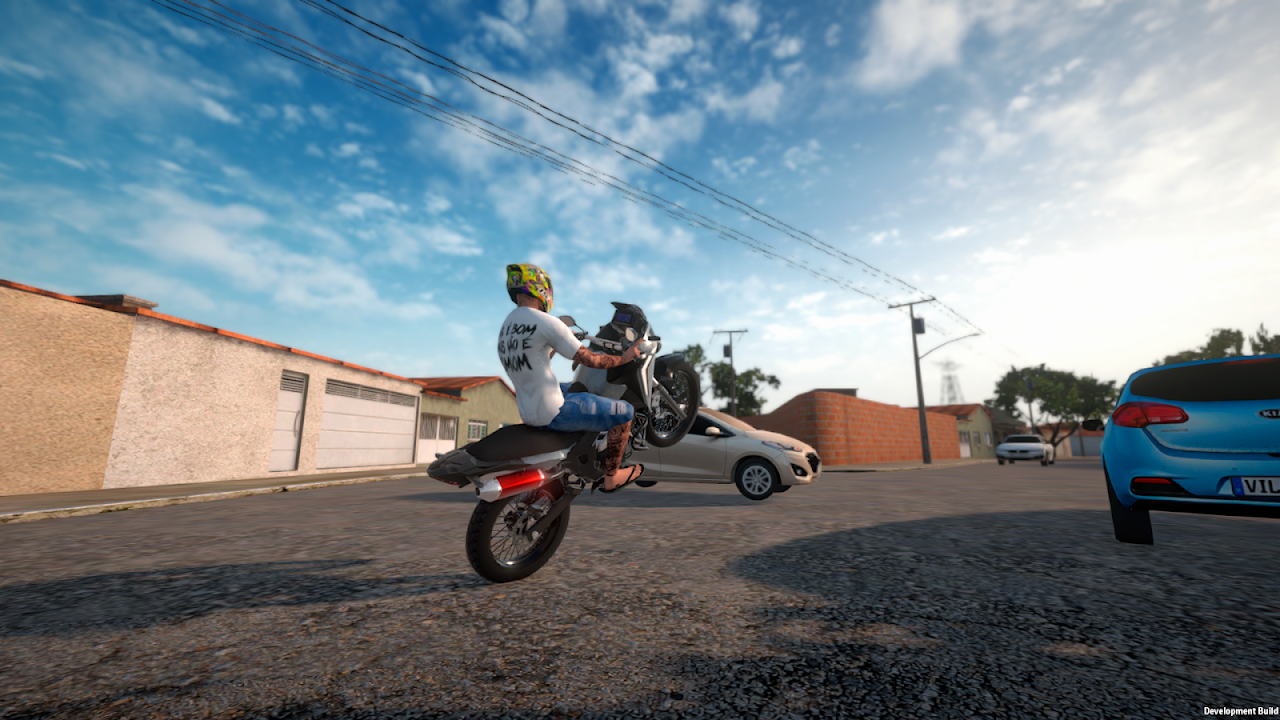
Street Wheelie Brasil is Villa Games Group’s Android motorcycle wheelie game built around realistic grau physics, Brazilian street vibes, customization, jobs, and online play. This getting-started guide walks you from Google Play install through a productive first day so you learn balance early, earn cleanly, and avoid common beginner traps. Package ID on the store is com.villagamesgroup.swb—use the official listing only.
Download from Google Play
- Open the Google Play Store on a supported Android device.
- Search for Street Wheelie Brasil by Villa Games Group, or open the official Play listing linked from this wiki’s home CTA.
- Confirm the developer name and package before installing. Avoid third-party APK sites; they risk malware and broken online auth.
- Allow the install to finish, then grant only the permissions the game requests that you are comfortable with (location or related services may appear for online/features—review the Play data-safety section if you care about privacy).
- After install, keep a stable connection for the first launch so assets and account services can initialize.
Storage and RAM matter. The game aims for solid performance on weaker phones, but closing heavy background apps still helps the first session. If the store page lists device compatibility warnings, respect them before grinding long sessions.
First launch and account / Firebase-style login
On first open, let the title screen and any tutorial prompts finish without force-closing. Modern Villa Games Group titles typically lean on Google / Firebase-backed services for accounts, cloud saves, and online identity. Practically, that means:
- Prefer signing in with the Google account you actually use on the device so progress and online identity stay consistent.
- Do not skip login prompts if the game offers to link your profile—playing fully offline-only can make later online or restore flows harder.
- If a verification email or Play Games / Google prompt appears, complete it before investing hours of customization.
- Keep Play Store auto-update on for Street Wheelie Brasil so physics and online fixes arrive without hunting APKs.
If login fails, check date/time sync, VPN interference, and Play Services updates. Reinstalling without a linked account can wipe local progress—link first whenever the UI offers it.
What to do on day one
Treat day one as skill + income, not fashion week. Your order of operations should look like this:
- Finish any onboarding or safe practice area. Learn throttle, brake, and steering without traffic pressure. Jump to Controls if the touch layout feels wrong immediately.
- Practice short wheelies, not marathon flips. Lift the front, hold a gentle sweet spot, set it down cleanly. Deep technique lives in How to Wheelie.
- Run early jobs. Cash from Jobs and Money funds bikes and parts that actually help. Do not empty the wallet on cosmetics until you can hold a stable grau.
- Claim codes if any are live. Check the Codes Hub and redeem before major purchases so free currency stacks with job pay.
- Peek at the tier list before big unlocks. The Tier List Hub helps you avoid sinking everything into a bike that fights your skill level.
- Only then customize identity. Exhaust sound (ronco), paint, and visual flair are half the fantasy—see Customization—but they land better when you can already ride.
Day-one success looks like: account linked, controls comfortable, a few clean wheelie holds, first jobs completed, and a shopping plan—not a garage full of regret.
Early mistakes to avoid
- Full-throttle wheelies. Realistic physics punish greed. Tap, pause, correct.
- Ignoring camera and sensitivity. If the horizon jumps, fix settings in Controls before blaming the game.
- Spending all cash on looks. Style matters; solvency matters more for unlocks.
- Jumping into online before basics. Learn recovery and etiquette in Online Multiplayer after you can ride straight.
- Sideloading “mod menus.” They break accounts and have no place on a legit wiki path.
After the first hour
Revisit this checklist: Play Store install verified, login linked, short practice route memorized, job loop started, codes checked, next bike or part chosen with the Tier List Hub in mind. Watch the mid-page developer spoiler / showcase video for tone and feature context, then return to quiet streets and grind clean reps. When a patch lands, skim Updates so your day-two plan still matches live systems.
Street Wheelie Brasil rewards players who treat grau like a craft. Use this page as your launchpad, then branch into controls, wheelie technique, jobs, customization, and online play as each skill unlocks the next.
Frequently Asked Questions
Quick answers for Street Wheelie Brasil players.
Where do I download Street Wheelie Brasil safely?
Only from Google Play under Villa Games Group (package com.villagamesgroup.swb). Avoid unofficial APK mirrors.
Do I need an account on first launch?
Yes—link the Google / Firebase-backed login the game offers so progress and online identity can restore across sessions.
What should I unlock first?
Prioritize comfort and control, then earning via jobs. Check the Tier List Hub before expensive bikes; claim Codes Hub rewards when active.
I keep flipping on wheelies—what next?
Shorten throttle inputs and read How to Wheelie. Also verify sensitivity and camera in Controls.
Is the game optimized for weak phones?
Villa Games Group emphasizes mobile optimization. Close background apps, lower graphics if available, and follow Controls performance tips.