Street Wheelie Brasil Controls Guide
Touch inputs, sensitivity, camera, and performance tweaks so realistic grau physics feel fair on your phone.
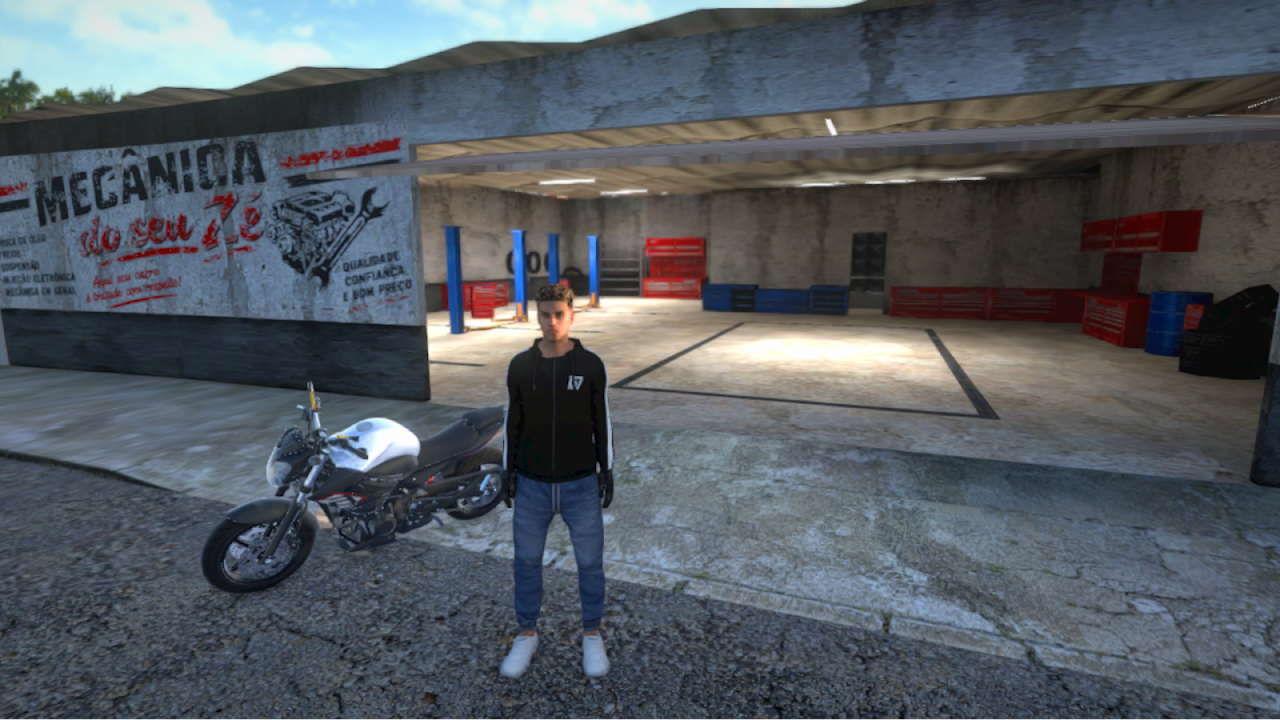
Street Wheelie Brasil is built for mobile-first play. Realistic wheelie physics only feel fair when your thumbs can deliver small, repeatable inputs. This controls guide covers the on-screen layout mindset, settings you should audit on day one, camera comfort, optional lights/visibility habits, and performance tips for weaker Android devices. Pair it with Getting Started for install and account setup, then apply every tip inside How to Wheelie.
Mobile touch control philosophy
On a phone you usually split duties across thumbs: one side for steering, the other for throttle and brake (exact skin varies by version and settings). Because grau lives in tiny throttle changes, treat the accelerate control like a pressure instrument:
- Rest your thumb so you can feather the control without lifting completely off the glass every pulse.
- Avoid palm heel drag that accidentally hits brake or camera while correcting.
- Keep the device stable—landscape play with a light grip reduces micro-shakes that look like steering noise.
- If the game offers control opacity or scale, enlarge throttle/brake enough for accuracy, not so large that they cover the road horizon you need for balance.
When something feels “laggy,” separate input problems (fat taps, accidental multi-touch) from performance problems (frame drops). Fixing the wrong layer wastes practice time.
Settings, remapping, and sensitivity
Open the in-game settings as soon as tutorial prompts allow. Priorities:
- Control scheme / remapping. If layouts can be swapped or elements dragged, place throttle where your dominant thumb naturally rests. Consistency beats copying a creator’s HUD that fights your hands.
- Steering sensitivity. Too high and online traffic becomes a wobble machine; too low and emergency swerves arrive late. Start medium, then adjust after ten minutes of straight-line wheelie practice—not during a chaotic street.
- Throttle/brake response. If available, prefer curves that allow fine low-end control. Wheelies die when the first 20% of travel already dumps max power.
- Invert or alternative options. Only enable extras you understand. Random toggles mid-session break muscle memory.
- Save and re-test. Change one slider at a time, ride a known flat stretch, then decide. Stacking five changes at once teaches nothing.
Document your favorite values in a note app. Patches can reset defaults; having a baseline speeds recovery after updates listed on Updates.
Camera: see the sweet spot
Balance is visual. If the camera sits too tight on the tail or too frantic on turns, you will correct late:
- Prefer a follow angle that shows the front wheel height against the horizon.
- Reduce camera shake if a toggle exists—shake hides the tiny nose movements that signal loop-out.
- Recenter habits: after a crash or menu, confirm you did not switch to a cinematic camera by mistake.
- On weaker phones, fancy camera motion can cost frames; a simpler follow cam that stays smooth is better for grau than a dramatic cam that stutters.
Practice looking ahead of the bike, not down at the HUD. Your peripheral vision should watch UI; your focus stays on road grade and front-wheel height.
Lights, visibility, and session comfort
Where lights or headlamp controls exist, use them for readability, not only style. Dim streets and busy Brazilian-inspired avenues punish riders who cannot see curb lines. Bright HUDs plus max bloom can wash out the front wheel silhouette—if graphics options include bloom, glare, or shadows, tune for contrast while practicing.
Also manage real-world comfort: lower brightness enough to see OLED blacks without burning your eyes, enable do-not-disturb so chat popups do not steal a thumb mid-wheelie, and keep fingers dry. Sweat is a real input error source on long sessions.
Tips for weaker phones
Villa Games Group calls out mobile optimization as a design goal, but hardware still varies:
- Close background recordings, browser tabs, and chat overlays before long rides.
- Switch to a performance or low/medium graphics preset if frame time spikes during wheelies—physics feel harder when frames hitch mid-tap.
- Prefer 5 GHz Wi‑Fi or stable data for online, but practice offline/local loops when the network is bad so you are not debugging controls and packet loss together.
- Disable unnecessary battery savers that cap CPU/GPU mid-session; inconsistent clocks feel like sticky throttle.
- Keep the phone cool. Thermal throttling arrives as delayed inputs; short breaks beat pushing through mushy controls.
- Update Play Services and the game itself so input and networking fixes actually apply.
If the UI stutters only in dense areas, practice grau on quieter roads until you upgrade hardware or settings. Skill still transfers.
Drill: control confidence in fifteen minutes
- Two minutes straight riding without wheelies—confirm steering centering.
- Three minutes pulse throttle in second-long bursts—listen for even response.
- Five minutes lift → soft → hold → set down on flat ground (How to Wheelie).
- Three minutes gentle S-curves while balanced.
- Two minutes menu → resume to ensure camera and scheme persisted.
When that drill feels boring, your controls are finally out of the way—and that is the goal. Move on to earning and upgrades via Jobs and Money, or refine the bike in Customization knowing your hands can express the setup.
Good controls disappear. Bad controls invent fake physics bugs. Spend the setup time once, then invest every later hour in clean grau.
Frequently Asked Questions
Quick answers for Street Wheelie Brasil players.
Why do my wheelies feel inconsistent on mobile?
Usually sensitivity, accidental multi-touch, or frame hitching. Calibrate one setting at a time and test on a flat empty road.
Should I copy a YouTuber’s control layout?
Only as a starting point. Remap so throttle feathering fits your thumbs, then lock the layout before long practice.
What camera is best for grau?
A stable follow cam that shows front-wheel height against the horizon. Reduce shake if the option exists.
My weak phone stutters mid-wheelie—what helps?
Lower graphics, close background apps, avoid thermal throttling, and practice on quieter routes until frame time stabilizes.
What should I read after fixing controls?
Return to Getting Started if you are new, then follow How to Wheelie for sweet-spot technique.