Street Wheelie Brasil Settings & Performance Optimizer
Keep wheelies readable on mid-range Androids with sane graphics, sensitivity, and camera choices.
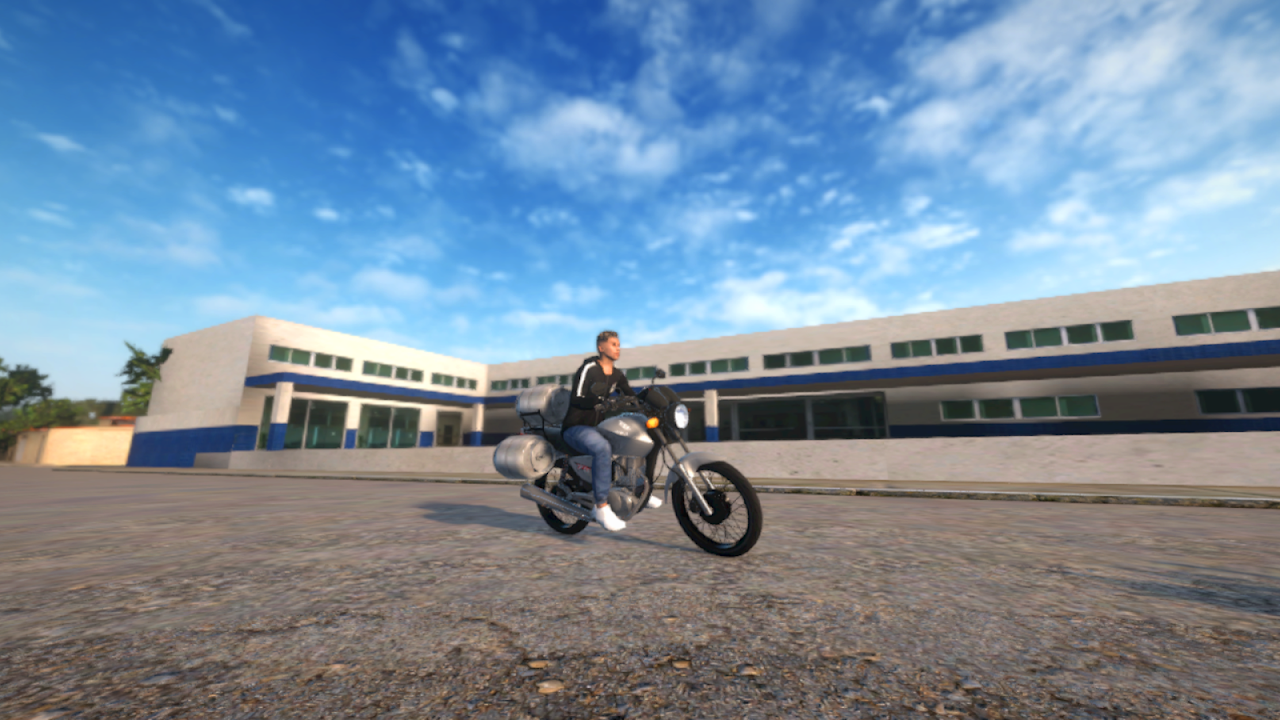
Villa Games Group markets Street Wheelie Brasil with a straight promise: playable performance on weaker phones. Community comments still beg for lighter presets—and they are right to care. A thermal drop mid-grau feels identical to a physics bug. This page is a practical settings optimizer for graphics, sensitivity, and camera, aimed at real devices rather than trailer PCs.
Pair it with Controls for input meaning and Getting Started if you have not finished onboarding menus.
Optimization principles
- Stable frame pacing beats max prettiness while learning wheelies.
- Change one cluster at a time (graphics, then sensitivity, then camera).
- Retest after patches listed on Updates.
- Heat is a setting — case, brightness, and session length matter.
- No magically “FPS unlock” APKs — stay on Play Store builds from Links.
Graphics / performance checklist
Work top to bottom until holds from the practice checklist feel consistent.
- Lower resolution scale / quality preset one step
- Disable or minimize shadows and expensive post-effects if present
- Cap FPS to a stable target (30 solid > 60 tearing/thermal)
- Reduce draw distance / crowd density options if available
- Turn off unused recording overlays / Discord overlay on weak devices
- Close background downloaders before online sessions
- Avoid charging-while-playing if the phone already cooks
If the Tiger Sport 660 garage camera looks gorgeous but the street stutters, prioritize street performance—you earn clips where you ride, not where you pose. See Tiger Sport 660 after the client is smooth.
Control sensitivity
Wheelie games punish sticky thumbs. Use Controls as the map legend, then tune:
| Symptom | Try |
|---|---|
| Instant loops on lift | Lower throttle aggressiveness / softer accel curve if available |
| Cannot catch balance | Slightly higher precision; focus on tap cadence from How to Wheelie |
| Steering feels drunk online | Reduce steering sensitivity; check network hitch vs input |
| Hands cramp | Remap to comfortable zones; shorter sessions |
Log your final numbers in a phone note. Creators’ sens files rarely transfer across aspect ratios and touch sampling rates.
Camera comfort
- Prefer a camera distance that shows both front wheel height and a slice of road texture.
- Avoid extreme FOV that hides lean cues.
- If cinematic cameras add input lag feel, use the simplest chase/follow mode while practicing.
- Re-check camera after customization that adds bulky parts (customization).
Weak-phone session rules
- Five-minute warm-up only after the device is not already hot from GPS navigation.
- Shade > sun on metal desks.
- Stop when frame pacing becomes a slideshow—continuing teaches panic inputs.
- After a heavy Updates optimization patch, reset to a known-good preset before experimenting again.
Online vs offline tuning
Offline practice isolates your settings. Online adds network jitter that mimics bad sensitivity. Validate changes offline first, then take them into sessions described on Players / online play.
When to report a performance bug
If a brand-new Play build tanks FPS on a device that was fine yesterday, report it with model, Android version, graphics preset, and a clip via Discord community or contato@villagamesgroup.com.br (listed on Links). That is how optimization requests become patch notes.
Quick preset recipes (starting points)
Ultra-light — Lowest quality, capped FPS, shadows off, short sessions. For entry Androids learning starter bikes.
Balanced — Medium quality, stable cap, mild shadows. Default for most players.
Showcase — Higher quality only when cool and plugged into a short clip attempt on a bike you already control.
Related pages
- Controls — What each input does
- Getting Started — First-hour orientation
- Practice checklist — What to do once settings are stable
- Tools Hub — Overview
Frequently Asked Questions
Quick answers for Street Wheelie Brasil players.
Why does my bike feel different after lowering graphics?
Stable frame time changes when inputs register. Retune sensitivity slightly after any big quality drop and retest on a familiar straight.
Should I always chase 60 FPS?
No. A locked, stable 30 on a hot phone often yields better wheelie timing than an unstable 60.
Do I need a modded APK for performance?
No. Use official Play Store builds and in-game settings. Modded APKs risk bans, malware, and broken updates.
When should I retune settings?
After major patches, when you change phones, or when the practice checklist fails because of stutters rather than skill.
Where do I learn the control layout itself?
On the Controls guide. This page only optimizes sensitivity, camera, and performance around that layout.